









 Buyer Support
 Seller Support


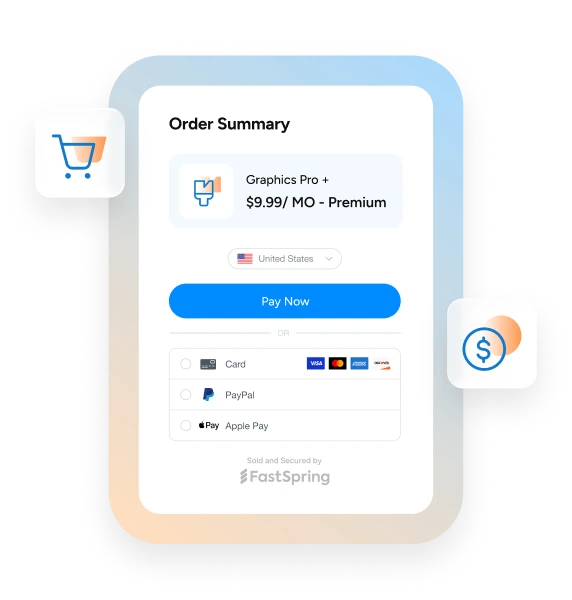
Many purchase journeys begin before the buyer reaches checkout. A player may select a virtual currency pack inside a game, while a software customer may choose additional licenses, add-ons, or a product bundle.
The FastSpring Sessions API lets developers prepare the purchase from their server. Your backend can create the cart, add known customer information, apply supported pricing or promotions, and return a session ID or checkout URL ready for the buyer.
Why Use a Server-Side Session?
Secure payloads, sometimes called secure requests, can also pass protected customer and pricing information into FastSpring Checkout. However, they require developers to create encryption keys, encrypt the session data, and pass the encrypted payload into Store Builder.
The Sessions API uses standard authenticated REST requests instead.
For FastSpring users already using a backend or serverless function, this can be easier to build and maintain. It also keeps pricing, promotions, customer data, and purchase rules on your server rather than exposing that logic in browser code.
Secure payloads remain useful for existing Store Builder integrations, but the Sessions API provides a more direct approach for many new server-side use cases.
Support In-App Steering
For app and gaming companies, in-app steering means directing customers from an app or game to your web store or web checkout to complete their purchase.
For example, a player could select a virtual currency pack or a limited-time offer inside a game. The game sends the selection to the game publisher’s backend, which creates a FastSpring session containing the correct product, price, promotion, and customer information.
The player is then directed to the game publisher’s web store or FastSpring Checkout with the cart already prepared.
A typical flow looks like this:
App or game → Your backend → FastSpring Sessions API → Web store or FastSpring Checkout.
This gives the buyer a clear route from the app to checkout while keeping pricing and offer rules controlled by your server.
Read more about in-app purchasing and steering on the FastSpring blog.
Prepare the Checkout Before It Opens
The Sessions API can prepare more than just the products in the cart.
Developers can include known customer information such as:
- Name and email address.
- Company information.
- Billing address.
- Country and postal code.
- Tax ID.
- An external account ID linked to your system.
Payment-card details are not passed through the Sessions API. They are collected securely within FastSpring Checkout.
Pre-filling known customer information reduces repeated data entry, helps prevent errors, and makes it easier to connect the completed order to the correct customer record.
Your backend can also control supported custom pricing and promotions. For example, the final offer could be based on license quantity, a negotiated sales agreement, the customer’s account level, a promotional campaign, or the contents of a bundle.
Products, quantities, customer information, and supported custom pricing can also be updated after the session has been created without rebuilding the full session.
How It Works
Each request uses a checkoutPath to identify the FastSpring store and checkout configuration:
{storeId}/{checkoutId}
For example:
examplestore/popup-checkout
Your backend sends the products, quantities, customer information, pricing, promotions, and checkout path to the Sessions API.
The response includes the session ID, calculated cart totals, checkout status, and a ready-to-use web checkout URL.
You can then:
- Redirect the buyer to web checkout.
- Pass the session ID to a popup or embedded checkout.
- Use the session with Checkout Components.
Sessions can target popup, embedded, or web checkout configurations.
Use Sessions With Checkout Components
Sessions can also be used with FastSpring Checkout Components, which are currently available on request.
Checkout Components let developers embed a styleable, PCI-compliant checkout within their website or application. Your backend creates the session, while Checkout Components use the session ID to display the payment form, pay button, and required disclosures.
This gives developers more control over the frontend experience while FastSpring handles payment capture, tax, fraud screening, and order completion.
Show Relevant Payment Options
The Sessions API can also return the ordered and localized payment methods available for a session.
You could use this to show relevant payment options before checkout, avoid advertising a method that is not available, or check whether an expected wallet or local payment method is supported for the buyer’s checkout experience.
Frequently Asked Questions
Not in every case. Existing Store Builder integrations can continue using secure payloads. The Sessions API provides a simpler REST-based option for FastSpring users creating checkout sessions from their backend.
No. The Sessions API prepares a new order session for checkout. Changes to an existing subscription require the relevant subscription management API.
Contact details, company information, billing address, tax ID, and an external account ID can be included. Payment-card details cannot be pre-filled.
Yes. Your backend can apply supported custom pricing or configured promotions before the buyer opens checkout.
Yes. Developers can update products, quantities, customer information, and supported pricing without recreating the full session.
Get Started
The Sessions API gives developers a direct server-side way to support in-app steering, pre-filled checkout, custom pricing, promotions, and Checkout Components.
For more information, check out these additional developer resources:
If you’re looking for a merchant of record to help you grow your business internationally, we can help. FastSpring provides an all-in-one payment and subscription platform for thousands of SaaS, software, video games, and digital products businesses, including VAT, GST, and sales tax management, payment localization, and consumer support. Interested? Set up a demo or try it out for yourself.